

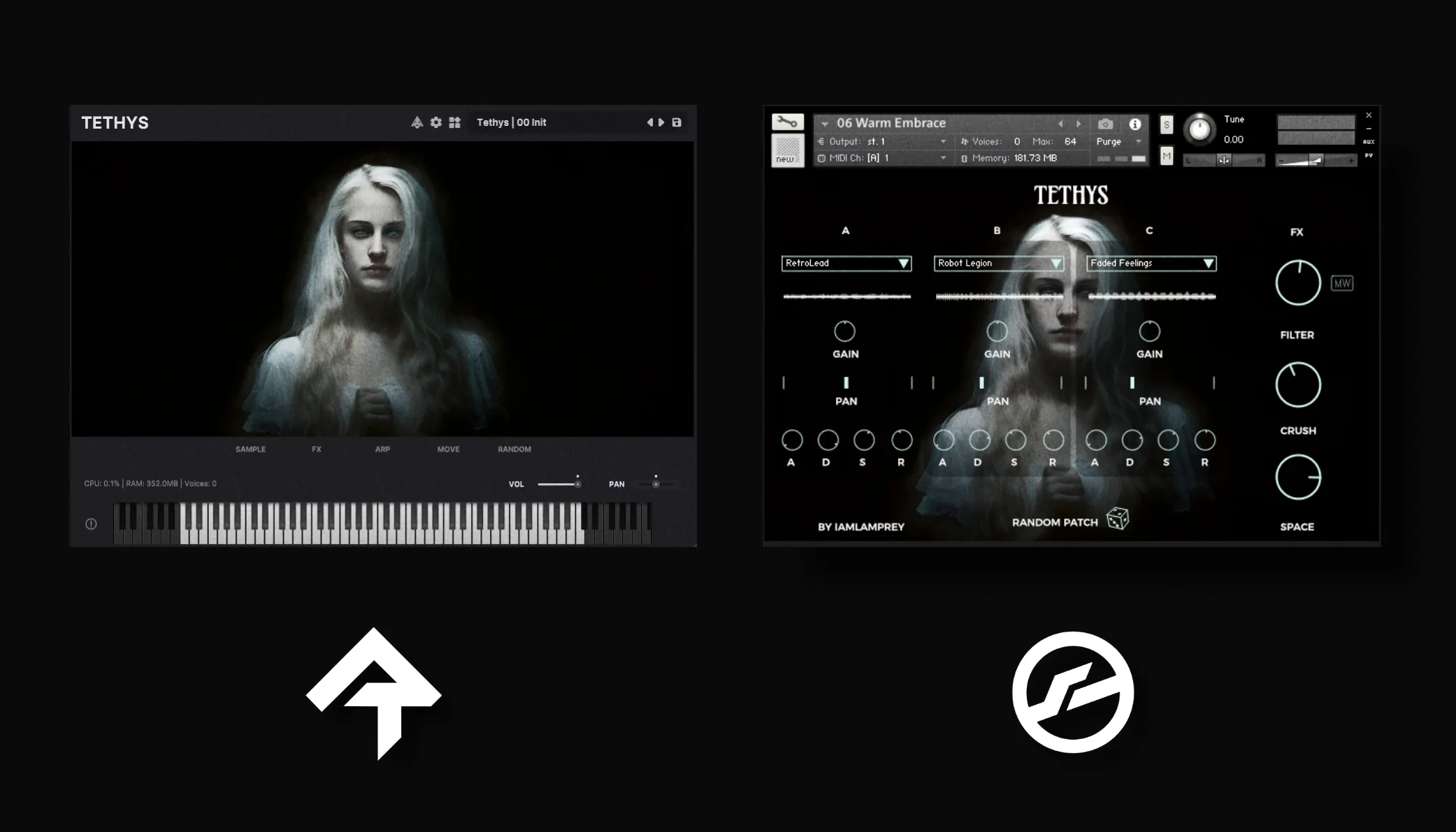
Pricing unavailable — reload the page
- No subscriptions
- No license manager
- No iLok
Bundle & Save
Just want some inspiration? Grab all 17 instruments in a single bundle - highest value, lowest price.
Expression of Will
Tethys is the first experiment in a series of Synth Libraries which are essentially my attempt at making VI Synths more expressive.
She has character, imperfections and noise cast into the samples themselves, and multiple velocity layers to help soften the harshness often found in software-based Synths.
Listen to Tethys
FAQs
What is this product?
This is a virtual instrument - it plays recorded samples back when it receives a MIDI note from your DAW. Virtual instruments are the industry standard for high-quality, expressive playback.
Do I need a workstation (DAW)?
Yes - both versions of this instrument require both a workstation (DAW) like Ableton or Logic, as well as a sampler plugin (Kontakt or Rhapsody).
Do I need Kontakt?
There is a Kontakt and Rhapsody version. If you want to use the Kontakt version you will need the FULL (not free) version of Kontakt 5.5 or later.
Note: More recent versions of Kontakt (like 8+) may have compatibility issues and are untested. Use an older Kontakt (or Rhapsody).
What is Rhapsody?
Rhapsody is a free alternative to Kontakt, available for MacOS, Windows and Linux. Rhapsody only loads the Rhapsody version - it cannot load the Kontakt version of the instrument.
What is the difference between the Kontakt and Rhapsody versions?
The Kontakt versions came first so they're a bit outdated. In general I recommend using the Rhapsody version - it's free, more "modern" and includes additional controls like sampler-level adjustments and effects.
Do you offer refunds?
If you're unhappy with the purchase, or can't get it working. Send me an email via the Contact Form within 7 days of purchase for a refund.
How do I use this in my DAW?
It depends on the DAW, but the general steps are:
- Install Kontakt / Rhapsody
- Install the instrument.
- Create an instrument track in your DAW - add Kontakt / Rhapsody.
- Load the instrument onto the track.
- Create (or record) a MIDI clip onto the timeline.
The MIDI information will then be sent to the instrument by your DAW - allowing you to hear the playback.
Do people really use these?
Yes, virtual instruments are still very popular. My libraries have several thousand sales across multiple distributers worldwide - producers and composers use them daily and despite sample libraries being decades old, they're still the best technology we have.
Rhapsody is a free and open-source VST, AU & Standalone player by Libre Wave.
Gone are the days of needing $400 software to open virtual instruments. Rhapsody is fast, powerful and most importantly… it's free.
Specs
- 16 Sound Banks
- 20 Included Presets
- Instant Patch Randomization
- Built-in FX Suite
- Free Player Plugin by Libre Wave
- VST, AU & Standalone Support
- 909MB download size
- 952MB uncompressed
Setup guides
Kontakt 5.8 or higher (full version) required. This library will not work in the free Kontakt Player.
Specs
- 16 Sound Banks
- 20 Included Presets
- Instant Patch Randomization
- Built-in FX Suite
- Kontakt 5.8 or higher (full)
- All major DAWs supported
- 8GB RAM minimum
- 917MB download size
- 1GB uncompressed
- Does NOT work in the Free Kontakt Player.